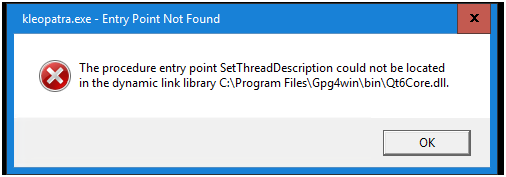
Getting this error while opening the Kleopatra GUI for GnuPG in Windows Server 2016 Datacenter.
The procedure entry point SetThreadDescription could not be located in the dynamic link library
C:\Program Files\Gpg4win\bin\Qt6Core.dll
Getting this error while opening the Kleopatra GUI for GnuPG in Windows Server 2016 Datacenter.
The procedure entry point SetThreadDescription could not be located in the dynamic link library
C:\Program Files\Gpg4win\bin\Qt6Core.dll
Hi @anbiswas,
thanks for reaching out.
Is this with Gpg4win 5.0.1?
What was the behaviour with the latest Gpgwin 4? Did it work?
Hi @bernhard,
Yes, it’s Gpg4win 5.0.1. Can you let me know how can I download the Gpg4win 4?
Thanks.
Hi @anbiswas,
all the revisions of Gpg4win can be downloaded from https://files.gpg4win.org/,
try the latest 4.4.1.
It is an issue with the QT version in Gpg4win 5.x which does not work with SetThreadDescription from Windows Server 2016.
I have opened a ticket: ⚓ T8100 QT: SetThreadDescription not found in Qt6Core.dll
A commit to fix this was already made, it will be included in the next Gpg4win release.
Hi @bernhard,
Thanks for the link. Can you tell if the 4.4.1 has the support available, or is it out of support?
Thank You @eebb for the fix and quick support. When is the Gpg4win 6.x releasing?
Hi @anbiswas,
Gpg4win 6.x will not happen any time soon, that’s probably many years away 
But the next release of version 5 should happen before the end of this month.
Thank you @eebb for committing the fix so quickly!
Is there an ETA on that updated build (5.0.2, I assume)?
Hello @aarghos, well I’m a bit afraid to give any dates as I was convinced the release with the fix for this would happen last month. I think it will be released very shortly, could be tomorrow, but I’d say probably next week. If things go to plan…
Thanks! Fingers crossed, though I totally get that things don’t always go to plan. Cheers 
Did you test the newest version (5.0.2): Gpg4win - Download Gpg4win? It should be solved there.
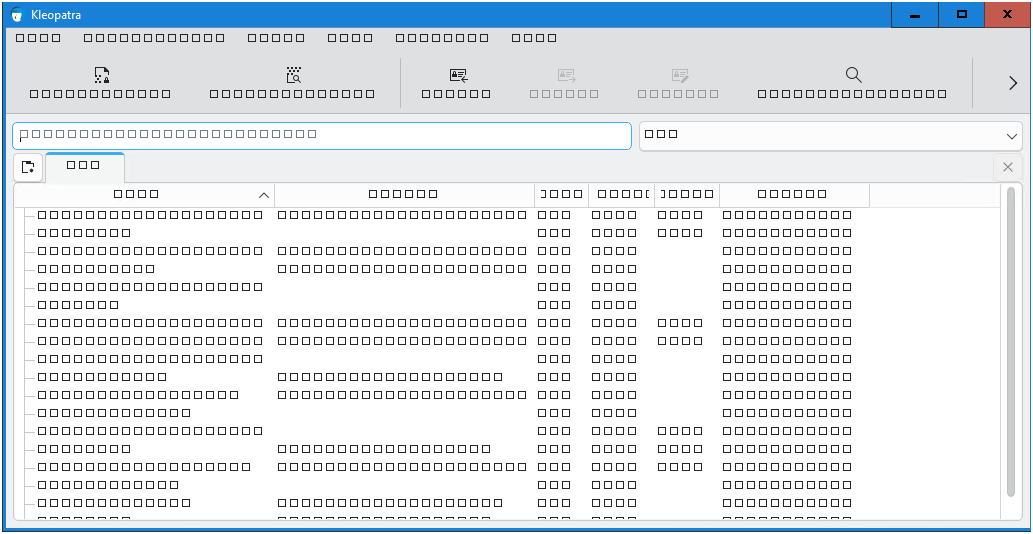
Hi @cklassen, I have installed the Gpg4win 5.0.2 in Windows Server 2016 and I am able to open the Kleopatra GUI but I am not able to see anything. Please check attached screenshot for reference.
Thanks for your answer @anbiswas! This is probably the same issue as reported in this thread: 5.0.2 UI is all tofu squares on Windows Server 2016. Sadly, it seems that the new version of the Qt framework which is used by Gpg4win 5 doesn’t support Windows Server 2016 
I’ll close this one as the original problem is solved and the next one has it’s own topic.