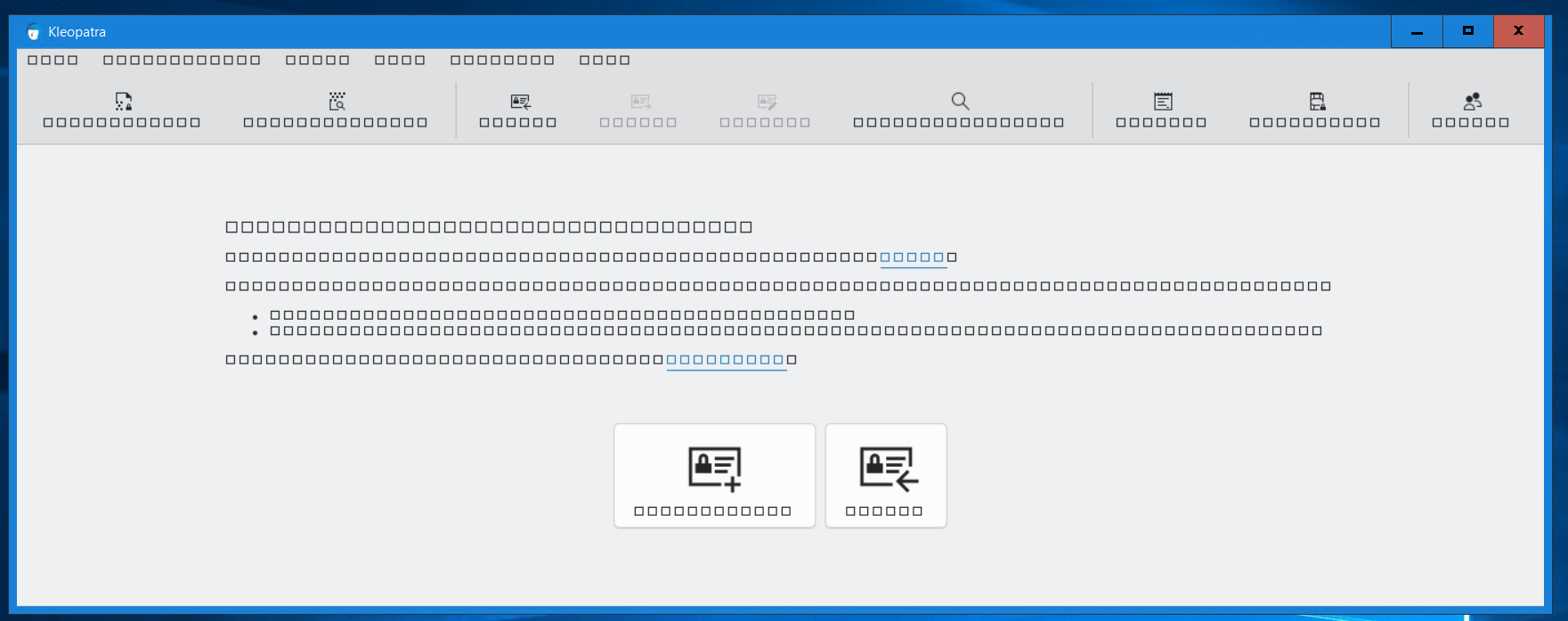
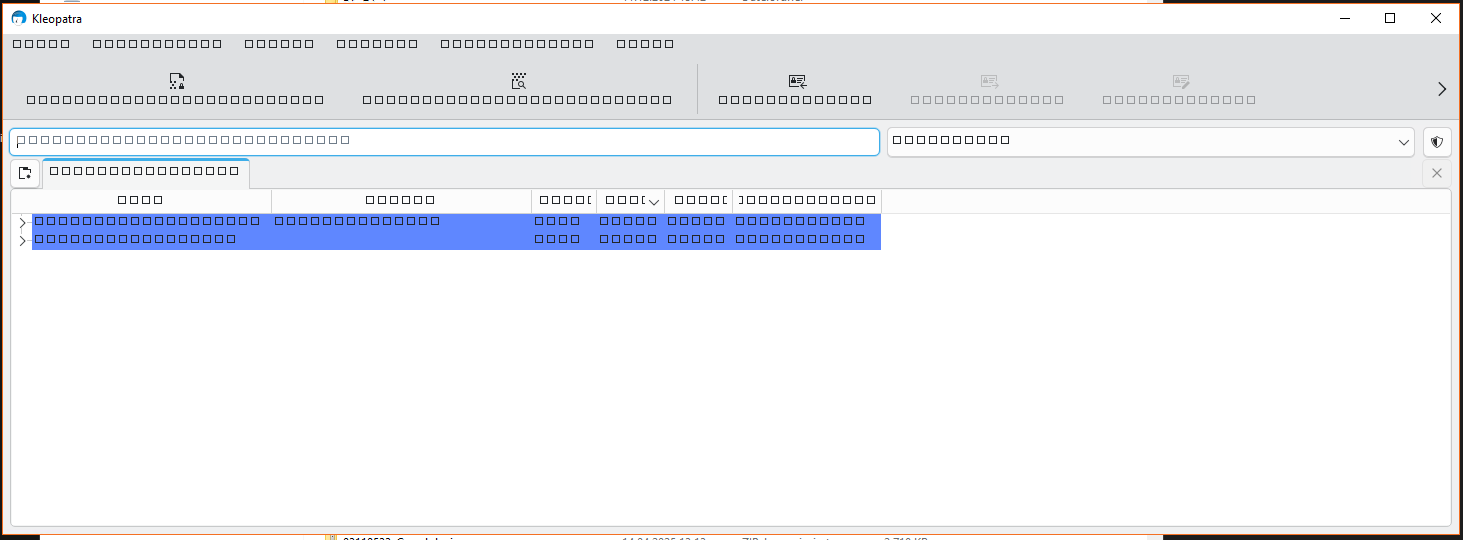
Windows Server 2016: Installing 5.0.2, either cleanly or over a previous version (and here, either over an older 4.x version, or either 5.x version) succeeds, but when any of the application UIs is launched (confirmed in Okular and Kleopatra), all characters render as tofu squares.
The same applications work completely fine on Windows 11 and Server 2019+. Tested on multiple WS2016 servers.
I even tried grabbing a newer (or older) version of the Qt6 DLLs. 6.10.2 does not help. In fact, it then complains about missing SetThreadDescription in the C:\Windows\System32\UIAutomationCore.dll.
Based on some other random forum posts (not here), I tried grabbing the UIAutomationCore.dll from my Win11 box (where Kleopatra from 5.0.2 works fine) and replacing the one on WS2016 with that, but - while I managed to do this - it didn’t fix the issue at all.
I also tried mix-n-matching older builds of Kleopatra with the newer Qt6 DLLs. This let Kleopatra launch, but again, produced an all-tofu UI.
I also extracted every single font from my Win11 box and installed them on the WS2016 box…again, nothing.
Also, changing the language doesn’t help.
Basically, I think UI elements (anything using Qt6) on WS2016 are dead from 5.0.2 forward (unless, as a layperson, I don’t know what I’m talking about. Wholly possible).
Hi @aarghos,
thanks for the reporting the problem!
I think devs will have a look into it.
To support your hypothesis, if you habe time: can you try any simple Qt 6 binaries and see if you can reproduce the problem there. Qt has a tradition to be also maintained as Free Software library, e.g. by KDE. This might as well get fixed if it is Qt 6 and it is reported to the right places. Maybe it already is reported?
Yes, probably, if it is a Qt6 issue with no workaround. (I don’t think Windows Server 2016 is on their priority list…)
Your screenshot looks a lot like a font issue, though. You could try to change the default font and see if this changes anything. Qt should ask Windows for the font to use and maybe the configured one can’t be displayed with Qt6?
I tried swapping the default font from Segoe UI to Arial (and as mentioned I tried installing every font from a system where it worked, which should’ve done the same thing), but that did not work.
Thanks for the reply, bernhard. I honestly don’t have the know-how or time to test that, and my use case is - fortunately - self-eliminating. As it is, WS2016 goes EoES next January, so the Qt devs probably aren’t that concerned. Hopefully, this at least lets your team update your ‘supported’ list
I don’t think that the font API in Windows changed so drastically that no font will be displayed at all when using a newer application. Microsoft offers extended support until 12. Jan. 2027, so it would be desirable to use GPG4WIN also (it’s bad enough when mainstream applications drop support for older systems)..
@uwi, Why do you think another report will help? If it is not a report of a functioning workaround.
The reason it does not work is, as aarghos already suspected in the first post, that Qt6 does not support WS2016. And Kleopatra in Gpg4win 5.x uses Qt6. We cannot change that back to Qt5. So there is nothing we can do about this issue but hope that the Qt project fixes this. Which is unlikely.
You’ll have to use the GnuPG on the command line on WS2016 systems. As you only need GnuPG and not Gpg4win for that, I’d recommend you install that package instead.
And another correction: I got confused, the fix was only for the startup, not for the glyphs and it is already in 5.0.2. So nothing will change in this regard with 5.1.0, sorry.
If QT6 fails to work with older Windows, and it’s not a QT bug, then there should be a clear warning from the installer that it won’t work with that version of Windows.
And I knew that the command line still works on older versions of Windows, but the report is for GPG4WIN, not for GPG.
Any apologies that my earlier comment did not provide a solution; I thought the forum is to discuss issues.