I’d like to make my keys OpenPGP-compliant to work with Thunderbird, as detailed here. I’ve tried their instructions, including replacing --rfc4880 with --openpgp, but my keys still have the LibrePGP-exclusive flags. Am I doing something wrong?
Alternatively, how do I set the openpgp flag in the gpg.conf file?
What is your goal? Do you just want to be able to import the key in Thunderbird? I also was not able to do this with a file.
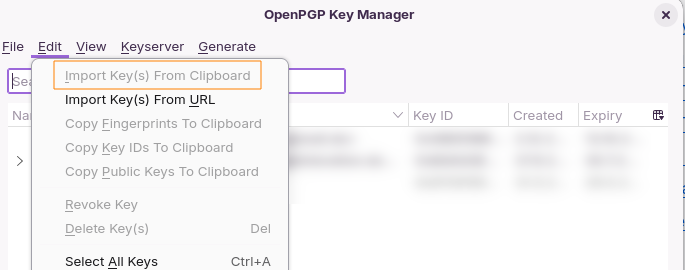
But when I exported the key with the option --armor then copied it and chose Edit → Import Key(s) from Clipboard I was able to import it.
Tried with GnuPG 2.4.8 and Thunderbird 128.12.0esr.
Just write openpgp in a seperate line in gpg.conf.
Hmm, strange. I’m on macOS and the flag does nothing with these commands:
gpg --rfc4880 --edit-key [identifier]
setpref
save
What command are you using exactly? For me, Features still includes AEAD.
On Mac there is no clipboard import, but as GPG was still showing that the key had extra features I’m not sure Thunderbird was the issue. Exporting and then re-importing a Thunderbird-created key does not warn of unsupported features, and checking the key in GPG shows no extra feature flags.
Which version of Thunderbird are you using? And when you are talking about the latest version of GnuPG do you mean 2.4.8?
What happens if you are using --compliance=rfc4880 instead of --rfc4880? You can also use the option -vvv to get more details. Maybe it gives you some useful information when the options don’t work.