How do i re-enable a pgp key that i accidentally disabled?
Hello Guy
What program do you use? The gpg command line program, Kleopatra or something else?
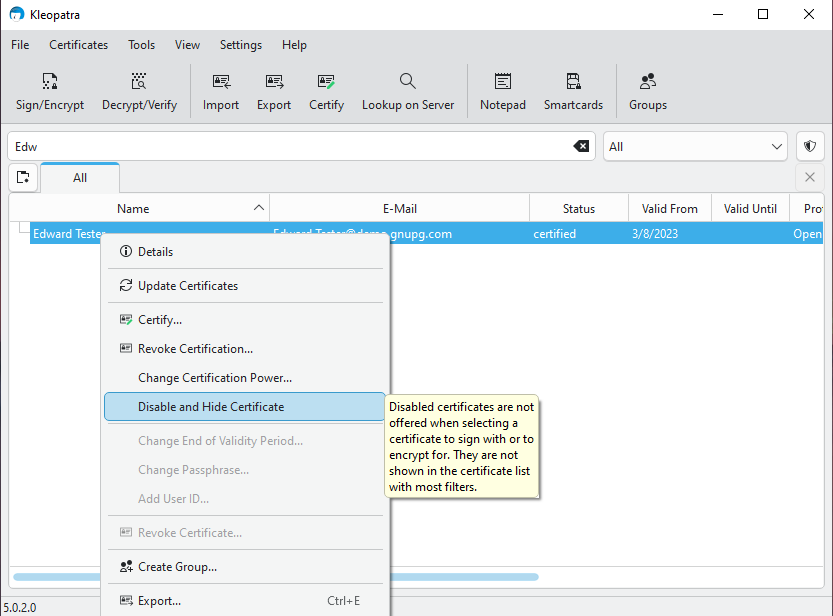
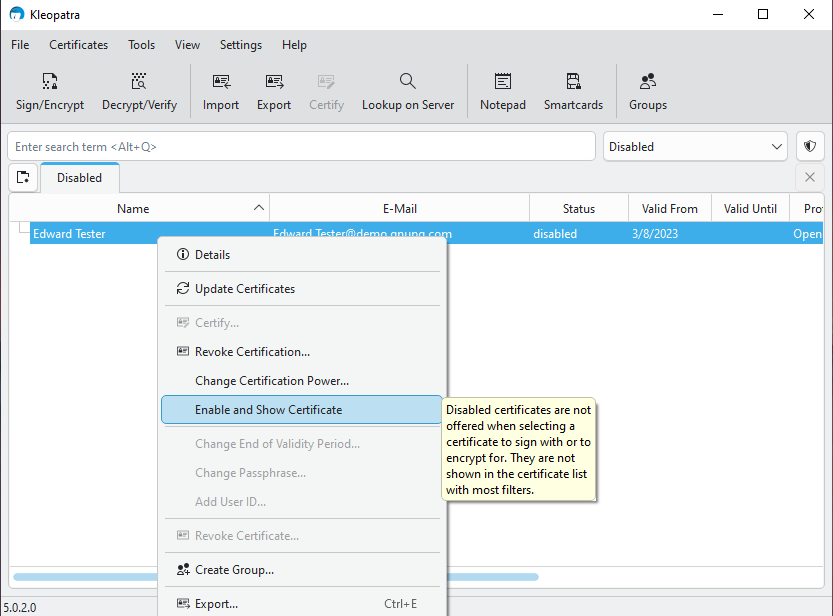
Thank you for your reply.
I’m using kleopatra.
How do i get to the disabled certificates screen to do that please.
Thank you.
Guy.
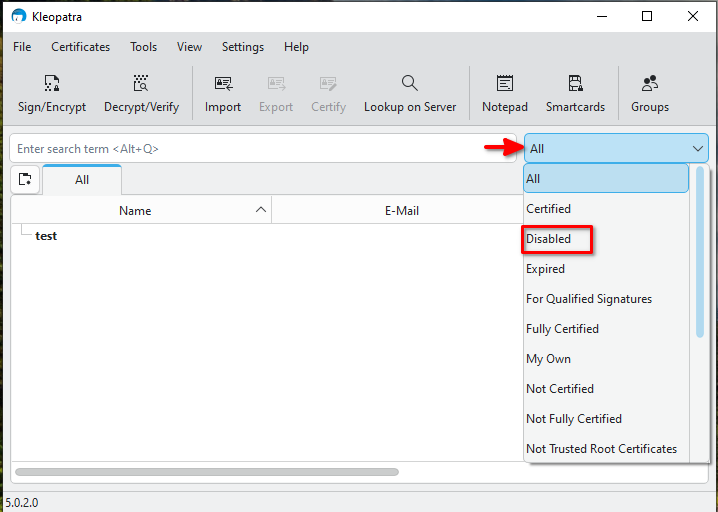
Thank you SOO much for your help.
Your awesome.
Guy.
Hi, i ran into another issue you may be able to help me with; I imported a public key from a text document and it brought up a page saying certificates, total number processed 0, total number imported 0. It isn’t in the list of imported keys, does this mean it didnt import the key?
Thank you
Guy.
Im pretty new to this, i imported a heap of public keys and was successfully using them to encyprypt and decrypt messages then all of a sudden i cannot decrypt messages i get this error code
Failed to decrypt the notepad: No secret key
Could you please help me?
Thanks again.
Guy.
It’s generally a good idea to start a new thread for a new topic/question.
Yes. ``total number processed 0``` means gpg did not find any (valid) key in the input. We cannot tell from this what exactly went wrong, but before anything else, make sure you are actually working with the correct file. Public (OpenPGP) keys are usually distributed in “ASCII-armored” format, which is easily recognizable:
-----BEGIN PGP PUBLIC KEY BLOCK-----
[several lines full of letters and numbers]
-----END PGP PUBLIC KEY BLOCK-----
Does your text document look like this?
That is the beauty of public key cryptography: Even as the sender, you cannot decrypt a message encrypted to somebody else’s public key. To decrypt, you’d need the secret key (which only the recipient should ever have access to).
This concept may seem counter-intuitive at first, but it is actually quite important to understand this and the implications. Before anything else, you may want to read through the “For Novices” section of the Gpg4win Compendium . Some dialogs look different, today, but the basic concepts still apply. You will also find information on how to make sure you can still look into your outgoing messages.