I’ve tried the GnuPG with Beta 395 and have the following notes and issues:
It was hard to find the info about starting the whole process with the new outlook - found some notes i remembered from a few months ago.
Starting the gpgOL-client setup was fine , the self-signed cert was created and i could verify its running on localhost. However, the step for adding the add-in is not very intuitive - it opens the Add-ins page but again had to refer to the notes to figure out I needed the xml. Some notes there would be great.
The Add-in page opens in browser only, not in the new outlook client (to add to it the new Outlook client is very annoying to find the add-in page).
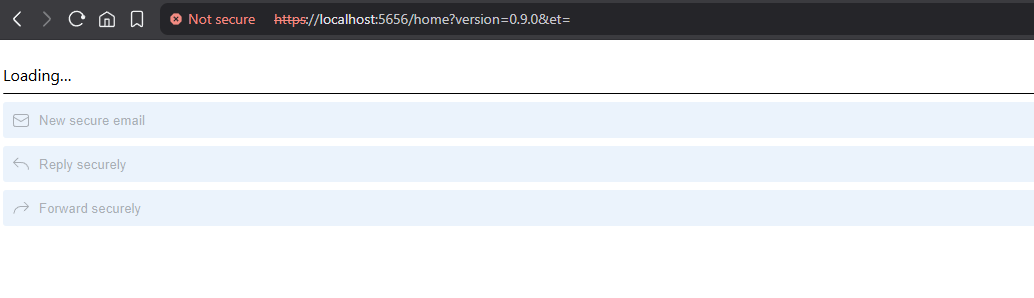
However I haven’t been able to make the add-in work. Both in Web and on the desktop new Outlook app I get a message after some time of thinking that first “Something went wrong and we couldn’t start this add-in” and after clicking Retry it showed a message that “this add-in may not load properly, but you can still try to start it. After clicking Start it thinks for some seconds and returns the error “It looks like the webpage at https[://]localhost:5656/home?version=0.9.0&et= might be having issues, or it may have moved permanently to a new web address.“ Navigating to the page works but keeps on Loading screen. Am I doing something wrong here or missing a step ?
thanks for getting in touch. this add-in is still a bit cumbersome to get working, we’re still working on improving its usability. the next beta will have a much better UI and workflow. unfortunately, we are in some aspects bound to restrictions set by microsoft. for instance, we haven’t found a way yet to open the add-in configuration page in the new outlook client (which is basically a stripped down edge browser it seems). we don’t consider this a high priority issue though, as you only have to configure it once and can work with the client from then on if you prefer. it’s all in the same web-based account, so you don’t have to configure this multiple times.
if the add-in still isn’t working, is it possible that you don’t yet have a (secret) PGP key for the email address of your outlook account present? this is an open issue, the web client can’t match the outlook account without an available secret key for it. we’re aware it currently just fails without a proper error message, and are planning to offer to generate or import a key if it’s missing to resolve this properly. can you please check that?
btw, you’ll get more information from the running processes if you start the client from cmd.exe.
I’ve started the client from cmd and got some messages that I am pasting, maybe it can give you some perspective. I have both clients running classic and the new one and the encrypt/decrypt function works great in classic (got keys attached to the mail in Kleopatra). However, the results are still the same for the new one (+ a small feedback upon shutting down the client it doesn’t trigger cleanup of the server + the gpg-agent and keyboxd. have to stop those manually to have a clean restart).
Almost all of the times the message before restart was “org.kde.pim.libkleo: Kleo::KeyCache::RefreshKeysJob(0x2d73e847e70) RefreshKeysJob::done”
Only one time I got this as last message (before i restarted it):”kf.windowsystem: Could not find any platform plugin”
Here is the entire log: org.gpgol.client: Startup timing: 0 ms: Application created org.gpgol.client: Responder handle: 0x0 org.gpgol.client: Created responder: "gpgol-clientResponder" with handle: 0x270d10 org.gpgol.client: Startup timing: 7 ms: Service created org.gpgol.client: Found the following trusted emails QList() org.gpgol.server.http: "Running http server on ``https://127.0.0.1:5656/`` (Press CTRL+C to quit)" org.gpgol.client: Startup timing: 916 ms: KeyCache creation org.kde.pim.libkleo: Kleo::KeyCache(0x2d73e847f90) reload option: 0 org.kde.pim.libkleo: KeyCache::RefreshKeysJob start org.gpgol.server.websocket: Client connected: "" "Client" QHostAddress("127.0.0.1") 5656 org.gpgol.client.websocket: websocket connected org.gpgol.server.websocket: Register QJsonObject({"emails":[],"id":"1f0a164d-b4b8-4afb-bfca-3c7dc2c25bf7","name":"PC - GpgOL/Web (0.9.0)","type":"native"}) org.gpgol.server.websocket: Empty email given org.gpgol.client: Found the following trusted emails QList("``mail@hotmail.com``") org.gpgol.client.websocket: websocket connected org.gpgol.server.websocket: Register QJsonObject({"emails":["``mail@hotmail.com``"],"id":"1f0a164d-b4b8-4afb-bfca-3c7dc2c25bf7","name":"PC - GpgOL/Web (0.9.0)","type":"native"}) org.gpgol.server.websocket: Email "``mail@hotmail.com``" mapped to a native client org.kde.pim.libkleo: Kleo::KeyCache::RefreshKeysJob(0x2d73e847e70) RefreshKeysJob::done
there’s nothing in that log that looks suspicious (you replaced your actual mail address with mail@hotmail.com?).
another thing to inspect is the console output of your browsers development tools. especially when opening the add-in side panel, you are probably seeing some error messages there, coming from the add-in’s javascript file?
we have just noticed that the error handling is failing if the add-in doesn’t get an EWS auth token, then you’ll end up in an endless “loading” state instead of an error message. we’re working on that. it would be good to know if this is the case here also. then we could investigate why no auth token is available.
There may be some issues with this program. It was installed with the stable release of gpg4win 5 after an update, but it seems that the program is not just working out-of-box, if I am not doing anything wrong.
The extension stuck with simply Loading… just as @buldansec mentioned above and a popup shows that some authentication of my Outlook account failed, with the logs I copied:
unauthorized_client: The client does not exist or is not enabled for consumers. If you are the application developer, configure a new application through the App Registrations in the Azure Portal at https://go.microsoft.com/fwlink/?linkid=2083908.
are you using a free personal account, not a 365 subscription? this hasn’t worked at all in earlier releases because of the add-in permissions defined in MS entra (on our side). subscription users can define their own permissions and work around that. in the meantime, we have discovered the correct configuration settings and got it to work in our test setups. i’ll check if this should be true for this latest release, too.